53-9A-E0-29-34-00-01 RFID Card scanned
The Vinyl Remote
My records now double as remote controls. Each one carries a small RFID sticker. Set a record on the reader and its album plays from the library, on whatever speaker Home Assistant has picked. The reader is an ESP32, and the glue is Home Assistant plus a small web service in a FreeBSD jail. Here's how the pieces fit, and every place they bit me.
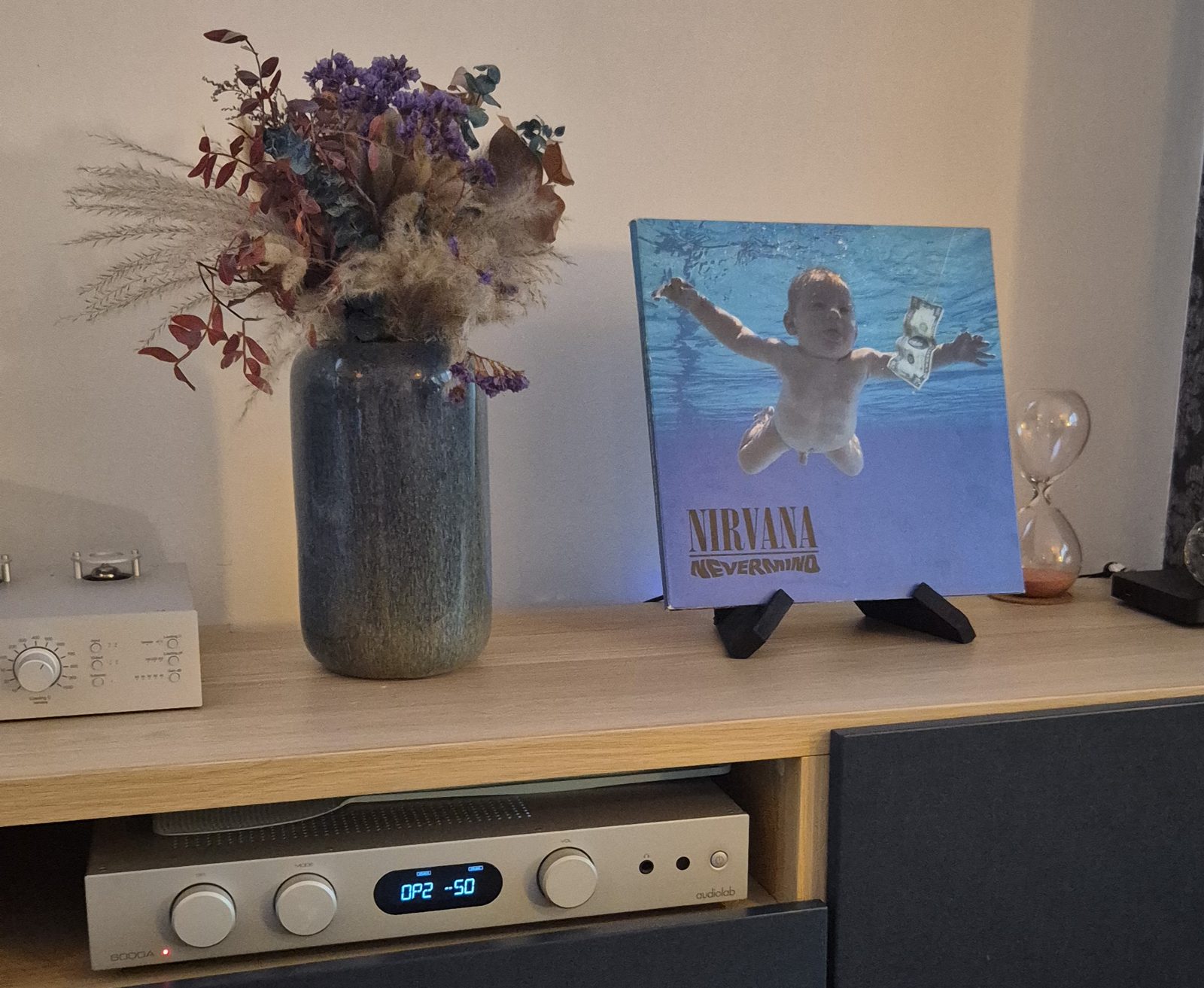
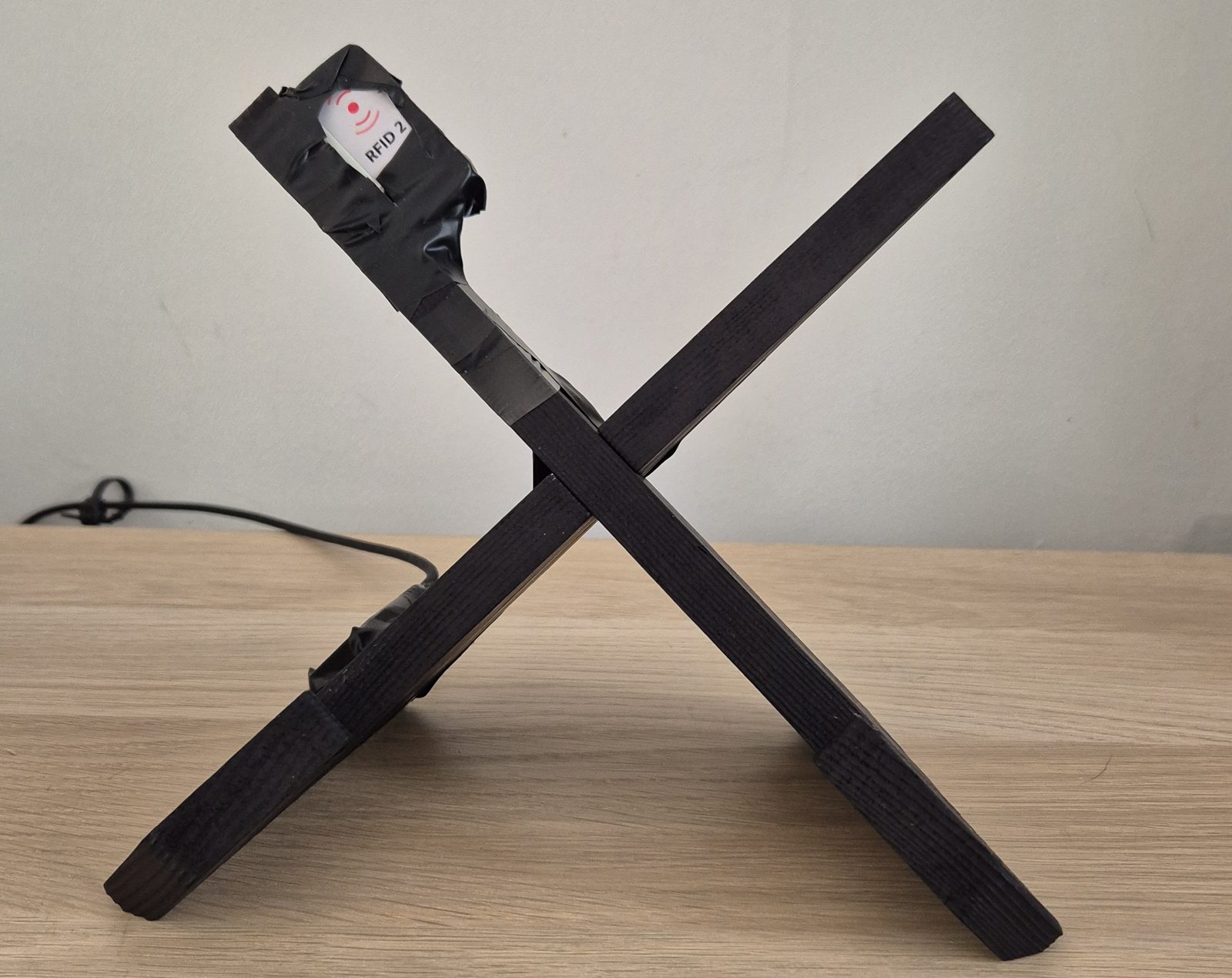
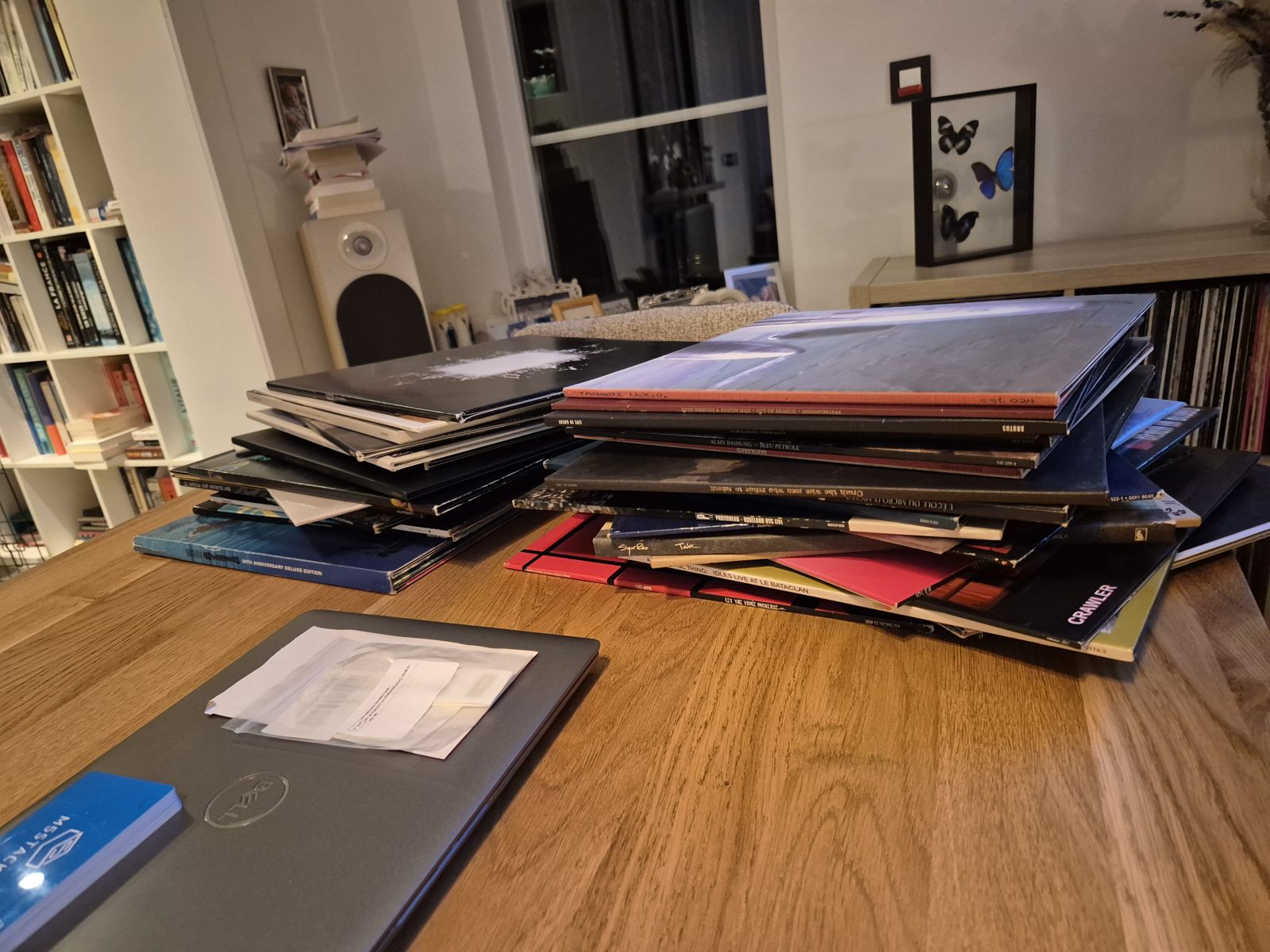
The pitch fits on a sticker, which is convenient, because that's the whole hardware budget per album. Every record gets an RFID tag stuck on it. Pull a record off the shelf, set it on the reader, and the album starts on whichever speaker is selected in Home Assistant. Lift the record and the music stops. A freshly stickered record shows up on a web page, where I give it its album by searching the library. Nobody edits YAML at eleven at night anymore.
The build is five components that each do one job and mostly don't know the others exist. That's the part I'm proudest of, so that's what this post is about.
The cast
- The taga sticker with a UID
- A small, cheap RFID sticker on the record. Nothing is ever written to it. Its factory ID, something like
53-13-0B-2A-34-00-01, is the whole identity. The record doesn't know it's part of a system, and I intend to keep it that way. - The readerESP32-S3 + RC522, ESPHome
- An M5Stack RFID 2 unit (RC522-compatible, on I²C), wired to an ESP32-S3 running ESPHome and taped inside the record stand. When a record lands on it, it fires Home Assistant's
tag_scanned. When the record leaves, it fires a customesphome.tag_removedevent, because HA's tag system was built for one-shot phone taps and has no idea things can be taken away. - Home Assistant1 blueprint, 2 scripts
- The conductor. One automation built from a blueprint listens for both events, and a dropdown helper holds the current speaker. Two scripts do the work:
play_album_by_tagandstop_album_by_tag. Each reaches the service through arest_command. - tag-albumsFastAPI, SQLite, htmx
- The new piece. It owns which tag means which album. It has an API for HA and a web page for me to assign albums. It runs under
daemon(8)in a FreeBSD jail behind Caddy. The code is on my Gitea: twisla/tag-albums. - Music Assistanton top of Navidrome
- Searches the library and plays albums on speakers. HA drives it with
music_assistant.play_media. tag-albums only borrows its search and its cover images.
One record, start to finish
A record lands on the reader. The RC522 reads its sticker's UID and ESPHome fires
tag_scannedwith it.The HA automation calls
play_album_by_tag, passing the speaker currently selected in the dropdown.The script sends
POST /api/scansto tag-albums. The service writes down the scan. If it has never seen this tag before, it files it as an unassigned tag. Either way it answers with the artist and album, or with"assigned": false.HA calls
music_assistant.play_mediafor each album, in order, by its exact ID in the library. The first one replaces whatever was playing, and the rest are queued after it.The record comes off, and ESPHome fires
esphome.tag_removed.stop_album_by_tagdoes a read-onlyGETand stops the speaker only if that tag has an album. Trying out a freshly stickered record doesn't cut whatever's playing mid-song.
Show me the YAML
The RFID part of the reader is about fifteen lines of ESPHome. Everything else it does, like Wi-Fi and shipping logs, comes from shared packages.
# rfid-reader-music.yaml (ESPHome), log lines trimmed
i2c:
  sda: GPIO02
  scl: GPIO01

rc522_i2c:
  address: 0x28
  on_tag:
    then:
      - homeassistant.tag_scanned: !lambda 'return x;'
  on_tag_removed:
    then:
      # HA's tag system has no "removed", so fire a custom event
      - homeassistant.event:
          event: esphome.tag_removed
          data:
tag_id: !lambda 'return x;'On the HA side, the play script asks tag-albums what's on the stand and hands each album to Music Assistant in order. Here it is with the error handling and the play-by-name fallback trimmed out:
# scripts.yaml (Home Assistant), error handling trimmed
play_album_by_tag:
  sequence:
    # Ask tag-albums: records the scan, answers with the albums
    - service: rest_command.tag_albums_scan
      data:
        tag_id: "{{ tag_id }}"
      response_variable: scan
    # First album replaces the queue, the others go after it
    - repeat:
        for_each: "{{ scan.content.albums }}"
        sequence:
          - service: music_assistant.play_media
            target:
              entity_id: "{{ target_player }}"
            data:
              media_id: "{{ repeat.item.uri }}"   # exact library album
              media_type: album
enqueue: "{{ 'replace' if repeat.first else 'add' }}"And this is what tag-albums answers for a tag with two albums, from a test run:
{
  "tag_id": "53-5D-4E-2B-34-00-01",
  "assigned": true,
  "albums": [
    { "artist": "Kiasmos", "album": "Kiasmos",   "uri": "library://album/2928" },
    { "artist": "Kiasmos", "album": "Thrown EP", "uri": "library://album/984" }
  ]
}POST /api/scans response. The uri is the exact album in Music Assistant's library, so near-duplicates can't get picked by mistake.Version zero
It started on my desk with the reader dangling off its cable and the two blue test cards it came with. No stickers, no records, no service: just ESPHome firing an event, and HA's activity log scrolling as the album mapped to that card in a YAML file started playing. Ugly, but it proved the loop worked end to end.
Why a service, and not a YAML file
Version one was a tag_albums.yaml map pulled into a script with !include. It worked, in the way that a sticky note on the fridge works. Adding a record meant sticking a tag on it, scanning it, digging the UID out of a log, typing the artist and album by hand, and reloading HA. Typos were silent: the script simply found nothing and played nothing.
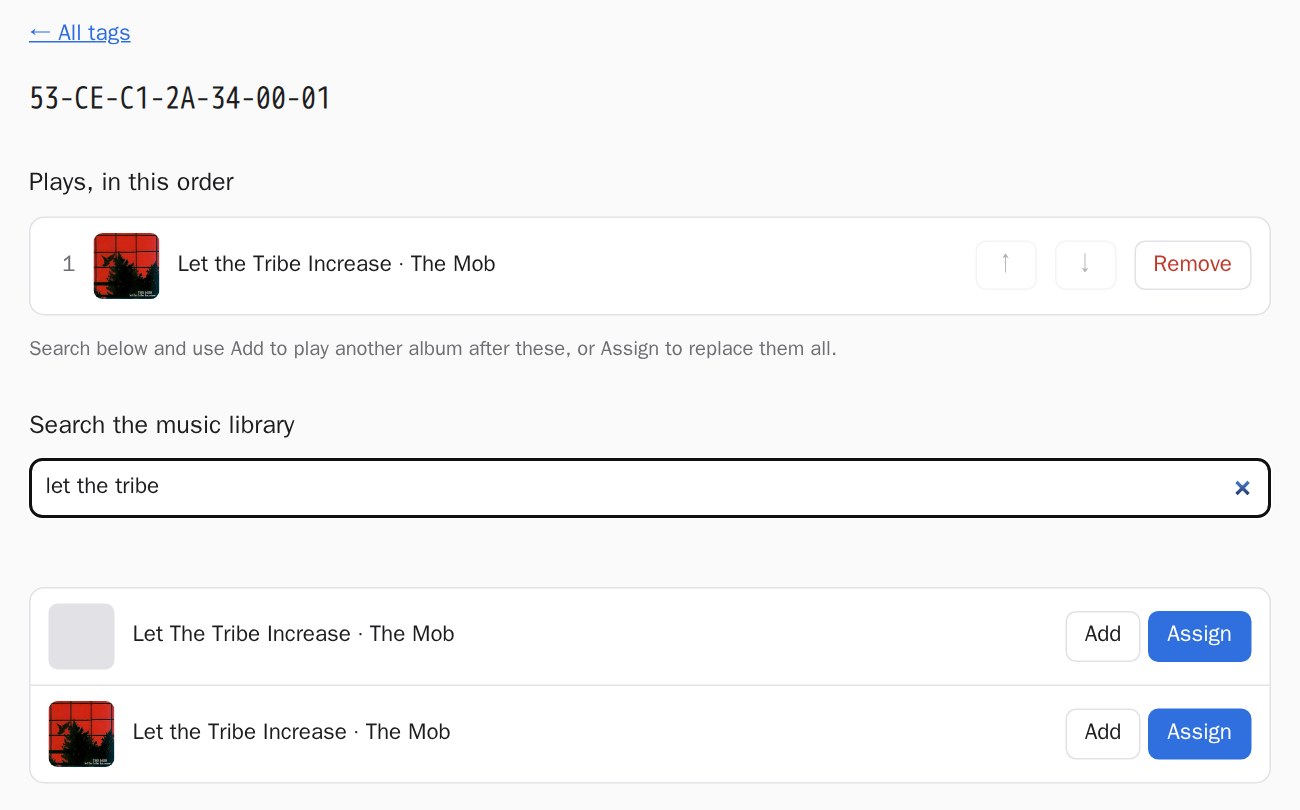
tag-albums turned that into one step. The request that looks up a tag's album is the same request that announces a new tag. Set a freshly stickered record on the reader and its tag shows up on the page within three seconds, because the page polls with htmx. Click Assign, search Music Assistant's library, and click the album. The names come straight from the library, so they match what play_media resolves.
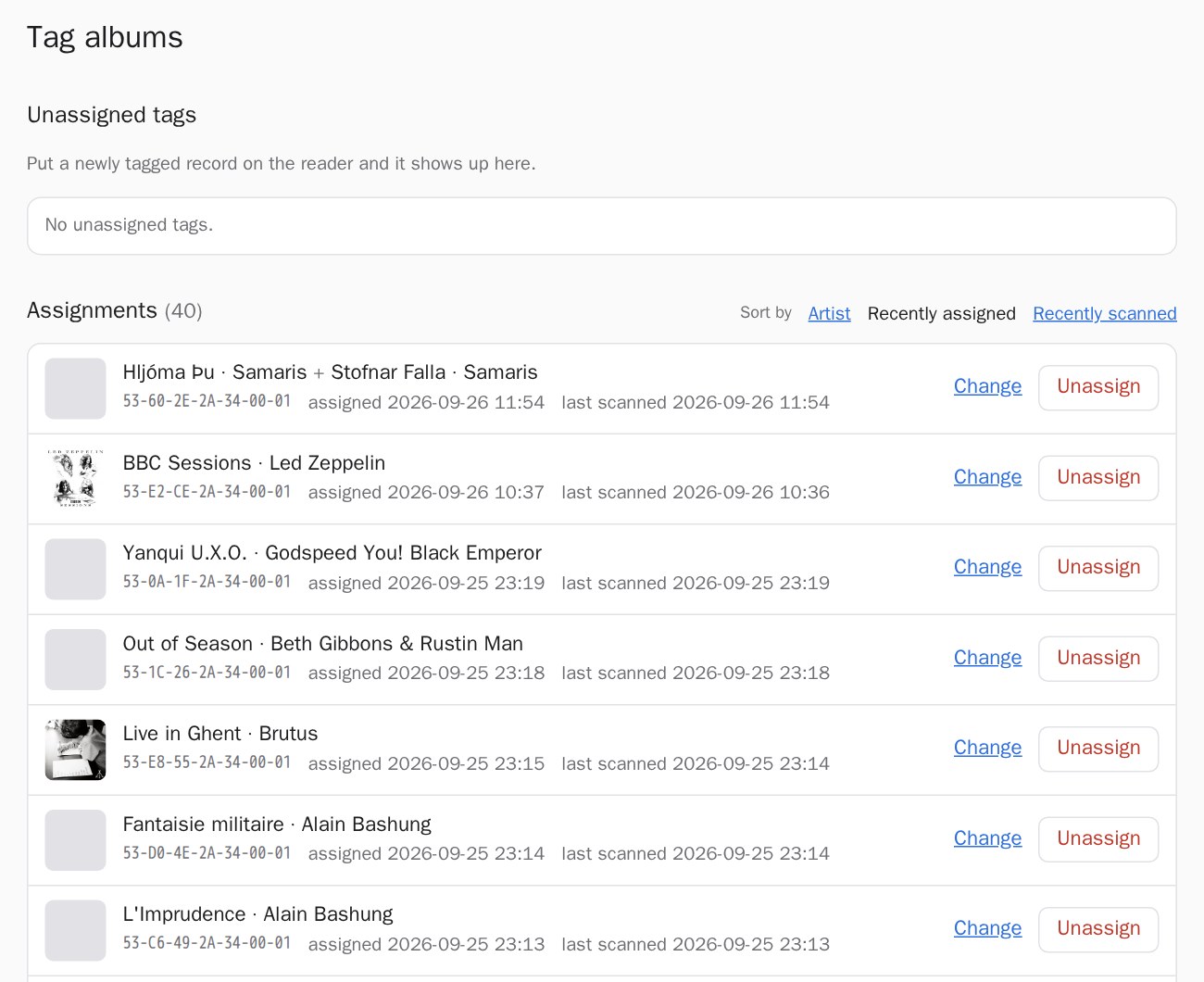
I even ended up writing a glossary for it. "Encoding a tag" turned out to mean no data gets written to the tag at all. The words are now Tag, Assignment and Unassigned tag, and the code uses them too.
One record, two EPs
Then a record broke the model. Samaris's self-titled vinyl compiles two EPs, Hljóma Þú and Stofnar Falla, and the digital library has them as two separate releases. So a tag now holds an ordered list of albums. HA plays the first one, replacing whatever was on, and queues the rest behind it. On the web page, Add appends an album and Assign replaces them all. Box sets are covered too, whenever one turns up.
Things that bit me
The album that played twice
I had two automations built from the same blueprint, one of them supposedly aimed at a different speaker. It was aimed through an input the blueprint didn't have. HA ignored that input without a word, so both automations used the dropdown's speaker, and every scan played everything twice. The fix was deleting one automation. The lesson was reading the automation traces before trusting anything.
Home Assistant doesn't trust my CA
The service sits behind Caddy, with a certificate from my home CA. My laptop trusts that CA. HA's HTTP client only trusts its own built-in list of public CAs, and there's no setting to add one. For now, the LAN hop from HA to the service runs with verify_ssl: false: encrypted, but not checked. That's a stopgap, not a solution. Getting HA to actually verify the certificate is still on the to-do list.
Covers vs. mixed content
Music Assistant hands out cover URLs as plain http:// on its own port. My page is https, so browsers quietly refused every image. The service now downloads each assigned album's cover and serves it itself. Search results load their covers through a small proxy that only fetches URLs the service signed itself, so it isn't an open proxy on my network. The jail couldn't reach Music Assistant's port either, so Caddy now publishes exactly one path, /imageproxy/*, and nothing else. Some albums have no cover in Music Assistant at all. Those get a grey square, which builds character.
Two albums, one capital letter
One night The Mob's Let the Tribe Increase went on the stand and nothing played at all. Music Assistant said "There is nothing to play here." The library held two entries, "Let the Tribe Increase" and "Let The Tribe Increase", and only one of them had any tracks. Playing by name, Music Assistant ignored the capitals and picked the empty one. Now each album is stored with its exact library ID, checked on every scan and re-found by name (exact spelling first) if the library ever gets rebuilt.
The record that was never scanned
My favourite bug: a freshly stickered record "didn't show up". The reader's logs, which it ships to VictoriaLogs over syslog, said the tag had been set down at 21:46, before the switch-over, and never picked up again. The reader only reports a tag when it's put down. The bug was a record that had been sitting on the reader the whole time.
The supporting cast
The reader is one device in a small ESPHome fleet, next to a row of Bluetooth proxies and an AtomS3R that shows what's playing. That repo got a cleanup along the way. Each kind of device now has a role package, such as "Bluetooth proxy", which pulls in feature packages for networking and telemetry, so each device file is five lines. OTA updates moved to encryption, which meant flashing the older devices twice: once with the old password to get them onto new firmware, then again to require encryption. Every device ships its logs to VictoriaLogs, which is how the forgotten-record bug above got solved in two minutes instead of two hours.
| Layer | What | Why this one |
|---|---|---|
| Reader | ESP32-S3, RC522 over I²C, ESPHome | Cheap, and it talks to HA natively |
| Glue | HA blueprint, 2 scripts, 2 rest_commands | HA already knows the speakers |
| Service | FastAPI, SQLite, Jinja, htmx (vendored) | One process, one file of data, no build step |
| Hosting | FreeBSD jail, daemon(8), Caddy | Where everything else already lives |
| Music | Music Assistant on top of Navidrome | Search and playback without writing either |
| Logs | syslog to VictoriaLogs | So a forgotten record takes minutes to find |
What's next
Getting Home Assistant to trust my home CA, so verify_ssl: false can go. Covers for the albums Music Assistant draws a blank on, probably fetched straight from Navidrome. Maybe an LED that blinks when a tag is unassigned, so nobody stands there waiting for music that isn't coming. And more stickers. There are always more records than stickers.
The service's code, tests and deployment notes are at git.twis.la/twisla/tag-albums.
If you build one: keep the reader dumb, let HA do the talking, and put the tag-to-album list somewhere you can edit without SSH. Future you, holding a freshly stickered record at eleven at night, will be grateful.